Get the okayplayph app on your Android or iOS device for faster access to live casino, sports betting, eBingo, fish games, and more. All accounts, deposits, and payouts in Philippine Peso.
Available for Android and iOS, with full browser access as a fallback. All three options give you the complete okayplayph experience.
Download the APK directly from okayplayph — no Play Store required. Enable installation from unknown sources in your phone settings, then install in minutes.
Register or log in to access the download link from your account dashboard.
iOS users can access the okayplayph app through the platform's iOS installation profile or directly via the mobile browser. Full functionality available on iPhone and iPad.
Log in to your account to find the iOS installation link in your profile settings.
Prefer not to install anything? You can access okayplayph directly through your mobile or desktop browser. The web version works on Chrome, Safari, and Firefox with no app required.
Register and start playing immediately — no download or installation needed.
The app gives you everything the desktop site offers, optimised for how most Filipinos actually play — on their phones.
Saved credentials and app-native navigation make getting into your account and switching between games quicker than a browser session.
Get notified about active promotions, upcoming sports events, and account activity directly on your home screen — no need to check the site manually.
The live dealer stream runs smoothly on the okayplayph app — Baccarat, Dragon Tiger, and Roulette with real dealers, fully playable on 4G or Wi-Fi.
Live in-play betting on PBA, boxing, football, and esports — all from your phone. The bet slip, odds display, and live scores are fully functional on the mobile app.
Play eBingo draws and fish game sessions on the app with the same quality as the desktop version. Auto-daub on bingo cards and smooth fish game controls on touchscreen.
Manage your balance directly in the app. Deposit via bank transfer or e-wallet, check your transaction history, and request withdrawals — all in Philippine Peso without switching to a browser.
All app traffic runs over SSL encryption. Account login uses OTP verification. Your game history, balance, and personal details are kept private and protected.
The app notifies you when a new version is available. Updates keep your app stable, add new features, and ensure compatibility with the latest okayplayph games and promotions.
Installing the okayplayph APK on Android takes a couple of extra steps compared to a Play Store app — here's exactly how to do it safely.
You need an active account to access the official APK download link. Registration is free and takes a few minutes. After OTP verification, your account is ready.
After logging in, navigate to the Download section or your account profile. The official Android APK download link is listed there. Tap it to begin downloading the file.
Because this is an APK and not from the Google Play Store, Android requires you to allow installation from the source you're installing from. Go to Settings → Apps → Special App Access → Install Unknown Apps, and enable it for your browser or file manager.
Go to your phone's downloads folder and tap the okayplayph APK file. Your phone will prompt you to confirm the installation. Tap Install and wait for the process to complete — it takes under a minute on most devices.
Once installed, the okayplayph icon appears on your home screen. Tap it, enter your account credentials, complete OTP if prompted, and you're in. All your account data, balance, and preferences carry over from the web version.
okayplayph mobile app — available for Android and accessible on iOS via browser or installation profile
Both the app and browser versions give you access to the full okayplayph platform. The differences come down to convenience and experience.
| Feature | Mobile App | Browser Version |
|---|---|---|
| Installation Required | Yes — one time | No install needed |
| Push Notifications | Yes | Not available |
| Login Speed | Faster (saved credentials) | Standard |
| Game Access | Full access | Full access |
| Live Casino Streaming | Optimised | Supported |
| Deposits & Withdrawals | In-app, PHP | Browser, PHP |
| Updates | Auto-notified | Always latest version |
Play all games on the okayplayph mobile app — Android and iOS
Mobile access makes gaming more convenient — but always play with a budget in mind. 21+ only. Responsible Gaming tools are available in the app and on the platform.
In the Philippines, most online gaming happens on mobile phones rather than desktop computers. Whether you're in Manila, Cebu, Davao, or a smaller city, the most common setup is a mid-range Android phone with a mobile data connection or home Wi-Fi. okayplayph's mobile app is built around that reality.
The app loads faster than the full website on slower connections, keeps you logged in between sessions, and lets you jump into a PBA live bet or an eBingo draw in a couple of taps. For players who check in multiple times a day — during breaks, before a game, after work — the reduced friction of the app compared to opening a browser and navigating to the site adds up over time.
Mobile data speeds vary significantly across the Philippines. In Metro Manila and major cities, 4G LTE connections handle live casino streaming and in-play betting without issues. In areas with slower or less consistent coverage, the browser version of okayplayph tends to adapt better by loading only what's needed rather than running background app processes. Both options are worth knowing — use the app on solid connections, fall back to the browser on weaker signals.
For live dealer games specifically, a stable connection is more important than raw speed. A consistent 5–10 Mbps connection runs live casino smoothly on the okayplayph app. Choppy connections cause stream interruptions rather than disconnections, so if you're experiencing that, switching to Wi-Fi before joining a live table makes sense.
A few habits keep your okayplayph account secure on mobile. First, only download the APK from your official account dashboard — not from links shared on social media, messaging apps, or third-party download sites. Second, enable the screen lock on your phone so your okayplayph app session isn't exposed if you leave your phone unattended. Third, update the app when a new version is available — updates often include security patches alongside new features.
If you ever receive an OTP request you didn't initiate, do not share the code with anyone. The okayplayph support team will never ask you for your OTP or password. Report any suspicious account activity through the support contact in your account dashboard.
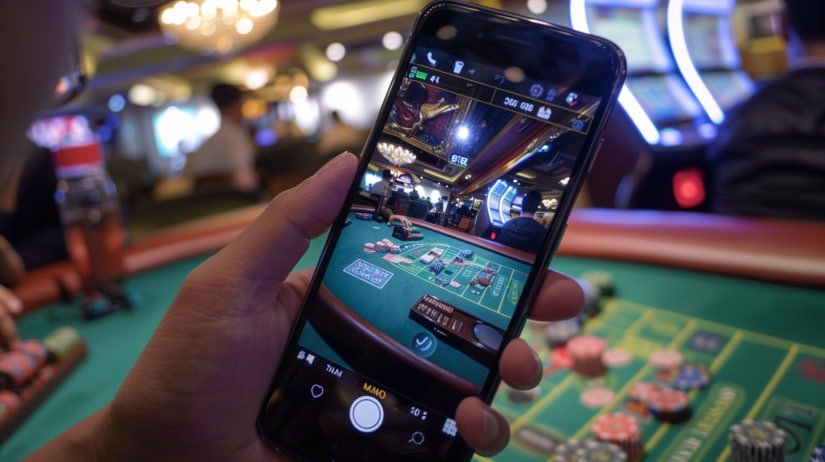
okayplayph — secure mobile gaming for Philippine players on Android and iOS
Managing your Philippine Peso balance is straightforward on the okayplayph mobile app. Deposits can be made through local bank transfer, online banking, and e-wallets. The deposit and withdrawal interface in the app mirrors the web version — the same payment methods are available and processing follows the same timelines. All transactions are in PHP, so there's no currency conversion at any point.
Before your first withdrawal, completing KYC identity verification is required. This is a standard security step that protects your account — you'll need to submit a valid Philippine government-issued ID and complete the verification process once. After approval, withdrawals to your registered bank or e-wallet proceed normally. Keeping your registered details current in your account avoids delays when withdrawing.
If you prefer playing on a laptop or desktop computer, no download is needed. Access okayplayph through your browser at the full-size interface — the site layout adapts for larger screens, making it easier to follow multiple events on the sportsbook, manage eBingo cards across a session, or enjoy live casino on a bigger display. All account features, games, and payment options are available on desktop without any separate software.
Common questions from Philippine players about installing and using the okayplayph app.